
Car makers are switching back to physical buttons per Wired magazine. You can read the article ‘Rejoice! Carmakers Are Embracing Physical Buttons Again’.
Tactile overlays
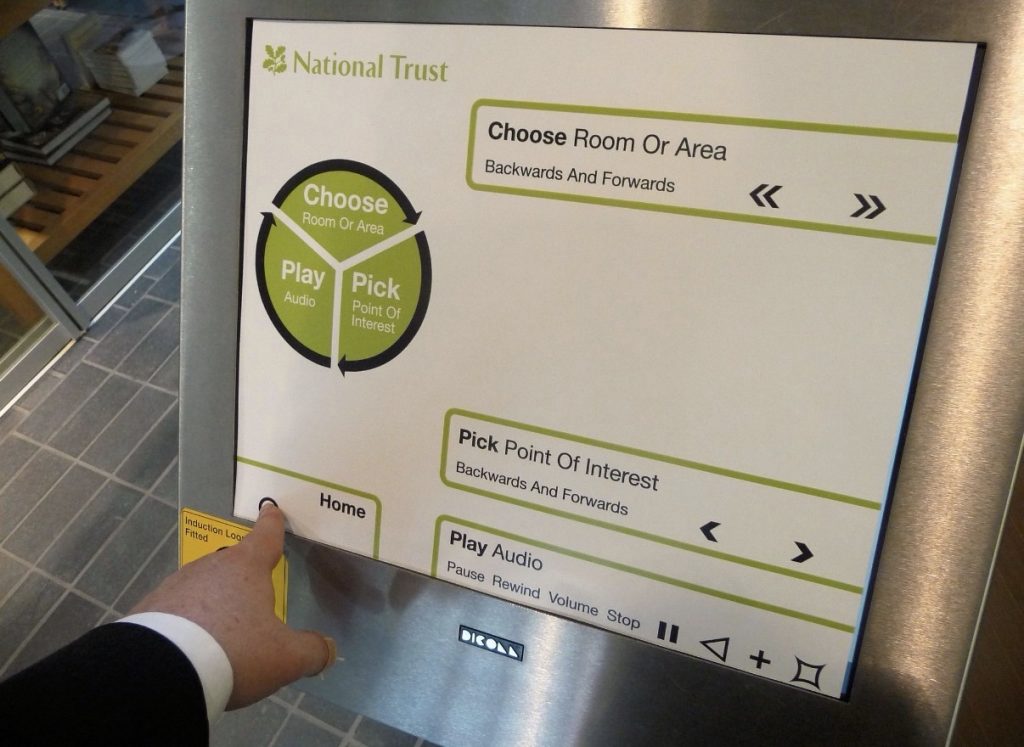
We did a load of work about 10 years ago with tactile overlays in museums when touchscreens started coming out and, in particular, iPad and iPod Touch came out. This was because we could use UV printing to make tactile overlays. We made different overlays for National Trust and some other UK museums.
Problems with implementation were mostly about how UI designers did not really think in touch terms but more in visual terms. Menus shifted around, buttons were ever so slightly differently placed on screens and multi-level menus were used to access specific items.
It’s all Proprioception
All of this UI visual design issues meant that proprioception could never really be trained or activated coherently. The internal human capacity to know where its parts are. We all use it automatically without recognising it that often. That comfortable gesture to reach out and grab something is noticeable more often when it breaks. When the thing is moved slightly. I remember toilet hand basins at college. On one floor they were about 2 cm lower than the ones I used more often on another floor. That small shift flummoxed me every time.
In terms of touchscreens, the users ability to choose and select a button or a control by learnt gesture and press (think about the old style buttons on a car radio) could never be assured as the button shifts and the meaning of the press changes.
Without proprioception, the touchscreen remains a visual UI in all real terms. The person must glance at the screen, must read the labels, must stab accurately at that one shape button and not the other one. All of this is what the car designers are discovering and re-confirming now.
When it works though…

What we also discovered is that when a person is using a device that really meets their intents and is their personal device that is held by themself then touchscreen overlays became irrelevant.
The iPhone was stunning. Visually impaired users found their way around the screen (helped a lot by Rotor UI) and proprioception and mental mapping combined successfully.
This is an interaction of proprioception and PeriSpace. The latter is the space defined by human reach and grasp. Like proprioception, we use that space without really noticing it. Yet it is powerful and a strong part of personal agency.
Technologies needs boundaries
What car makers forgot with touchscreens in cars is so many of these invisible perceptual and sensory capacities of humans. They put technologies in places without noticing how people use technologies. They worked against human systems of learning and intent.
The one piece of design advice that can help in this situation, when touchscreens are already installed, is to put up some boundary lines, make some zones of specific use and keep that consistent. The jumping around of UI elements makes the screen unusable. Imagine if the book you read changed every time you turned the page? Elements can and will shift, buttons will have different uses in changing contexts but maintain a meta-structure of usability that a person can remember.